the real vault · graph view
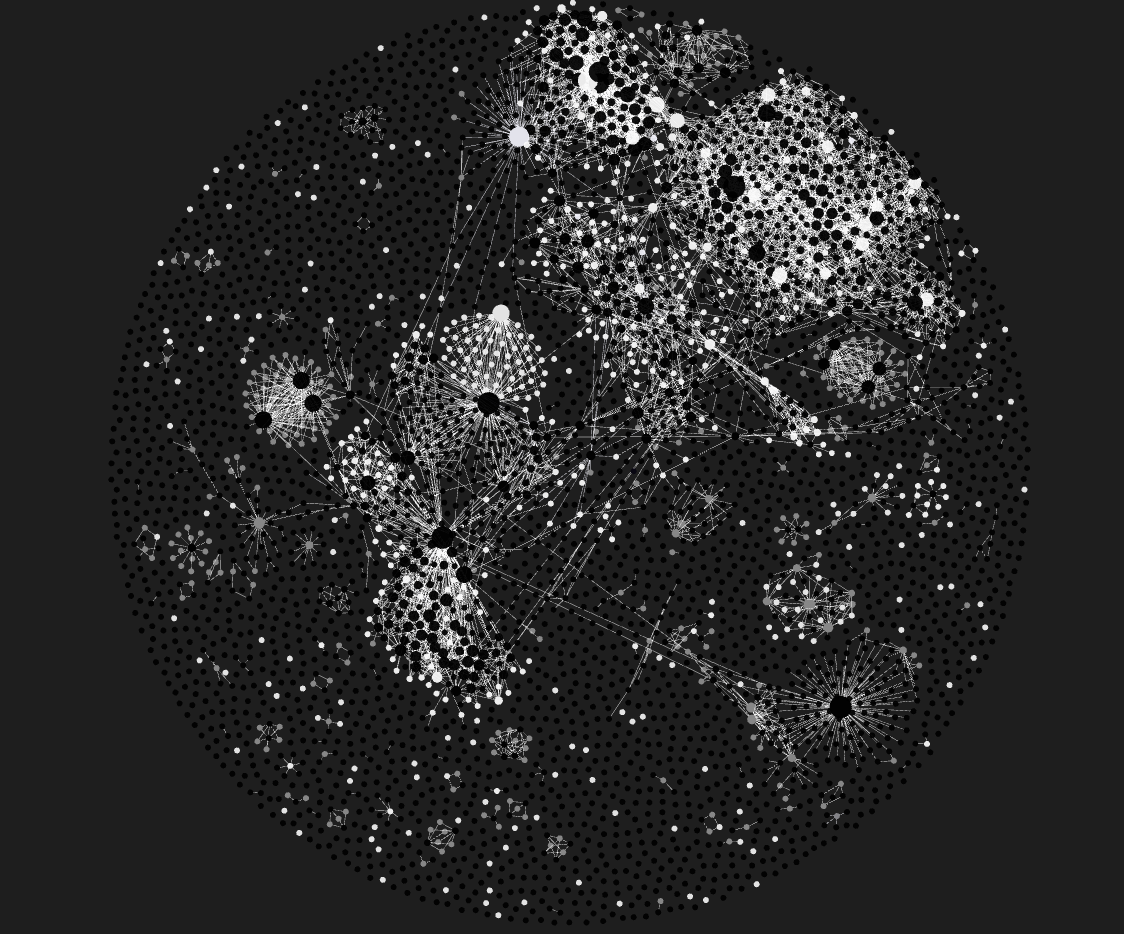
This is the actual thing running on my desk. My real brain, my real graph, my real notes. Not a mockup and not a stock template: the system this guide teaches you to build.
How to put your whole life into one folder you can ask questions. The complete method. Free.
About 5 minutes to read · written by Braindock
The complete step-by-step method is in the free PDF, no signup
A second brain is one place that remembers everything you read, save, or think, and hands it back to you in plain English the moment you need it.
That is the whole idea. Not a fancier notes app. Not another dashboard to maintain. A single home for your thinking that you can actually ask questions, so the useful thing you learned six months ago is not gone, it is one question away.
Your real brain is brilliant at having ideas and terrible at holding them. You have forgotten more good thoughts than you have ever acted on. A second brain fixes the holding part, and leaves the having part to you.
This is the actual thing running on my desk. My real brain, my real graph, my real notes. Not a mockup and not a stock template: the system this guide teaches you to build.
Strip away the hype and a working second brain does four things.
An idea, a link, a lesson, a name. You drop it in one place in five seconds and get on with your day. You are no longer the storage. The system is.
Work, study, health, money, personal, all in one place but in their own areas so nothing turns into a swamp. Related notes link to each other, so a thought from your job hunt can surface while you are thinking about something else.
This is the part that changed everything. You point an AI at your notes and ask a real question. It answers using your own writing and tells you which note each part came from. Not the internet's opinion. Yours, from when you were thinking clearly.
A two-minute daily check-in that starts by asking what you said you would do yesterday. A to-do list lets you quietly rewrite history every morning. This does not.
I am not going to pretend it turned me into a different person. Here is what actually changed, plainly.
Every "should I start this project" question used to cost me an afternoon of going in circles. Now I ask my own goals notes whether the new thing serves a goal I have actually written down, and I get a straight answer in ten seconds. Most of the time the answer is no, and I just saved a week.
The best thing I read this month is not in a browser tab that I closed. It is captured, filed, and it will come back when it is relevant. That single habit has done more for my output than any app I ever quit.
Writing, planning, applying for things, studying. I almost never start cold anymore, because I can pull my own past thinking on the topic in one prompt and build from there.
The honest headline: it did not give me more hours, it stopped me wasting the ones I had on remembering, re-deciding, and starting over.
The method is easy to nod along to and hard to picture, so here are actual questions and the shape of what comes back.
It quotes the goals I wrote when I was thinking clearly, weeks before I got excited about the new thing. Most of the time the answer is no. That answer costs ten seconds and saves a week.
It reads the projects I actually built, with dates, and drafts answers grounded in them. It will not let me claim something that is not written down anywhere, which is the whole value.
It reads the daily files and tells me what I keep saying I will do and keep not doing. Be ready for this one to be right about something you were avoiding.
Six months of scattered reading comes back as one page, in my own words, with a note name against each part. The difference between having read something and being able to use it.
All of it, in one place, separated so none of it turns into a swamp: study (course notes and concepts, so revision starts from what I already wrote), work and job hunt (every application and prep doc, linked to the projects that back the claims), projects and business (state and next action, so picking something back up takes a minute not an evening), health (which turns out to be the note that explains the bad weeks everywhere else), money, and people and ideas.
Separated, but linked. That is the bit no single-purpose app can give you, and it is the entire argument for one folder.
Every dot is a note, every line is a link between two of them. Nobody draws these by hand: it is what capturing and linking produce on their own, and it is why the AI can find things by meaning instead of you remembering a filename.
The whole thing lives as plain text files in one normal folder. No account, no lock-in, no company that can shut down and take your life with it. You can open these files in twenty years with any text editor. Obsidian (free) is just a nice window onto the folder, and Claude is the brain you point at it. The folder is the product, and it is yours.
What it costs, stated up front. The folder is free. Obsidian is free. The files are yours. The asking part runs on Claude, which has a free tier that is enough to try all of this. If it becomes part of your week you will want the paid plan, which is about 20 dollars a month. That is the entire cost, and I would rather tell you now than have you find out three weeks in.
Everything above is the what and the why. The free PDF is the how: the exact folder structure, the two rules that keep it alive, the daily check-in, and the copy-paste prompts that make your notes answerable. It also covers the people whose work this method is built on and how their ideas made it far better than my first version.
The full method: structure, habits and copy-paste prompts · no signup
The PDF has the complete method: the folder structure, the two rules, the daily check-in and the prompts. It costs nothing and it works. If you do that, genuinely, good.
Three folders, two templates and five paste-ready prompts, so you are not staring at an empty screen. Deliberately small, because the habit is the hard part, not the structure. $3.69 one time.
That is The Brain Kit: one time, no subscription. Everything in the Starter Brain, plus the full nine folders with a map of content per area, 80 worked example notes, 13 templates, the full Playbook, and the CLAUDE.md router file.
The honest summary: the method is free and complete, the kit is the execution. You are paying to skip the couple of months of deciding what goes where and what to ask it, not to unlock a secret. See the full breakdown.
I build this in public. The real vault, the real graph, what breaks and what I change, posted as I go. That is the honest way to judge a system: watch someone use it for months rather than read a sales page once. @braindock.co on Instagram and TikTok.
This method stands on the shoulders of people who explained the ideas better than I could, and I owe them a mention.
For putting the idea of a personal AI second brain into plain language and making it feel obvious rather than academic.
Whose work on AI automation and agents shaped how I wired the capture and retrieval side so the system runs with less manual effort.
For the free tools that make the whole thing possible without a subscription to your own notes.
The free PDF goes deeper on exactly how each of these amplified the build.